

Why Learn InDesign PRO TIPS in 2026?
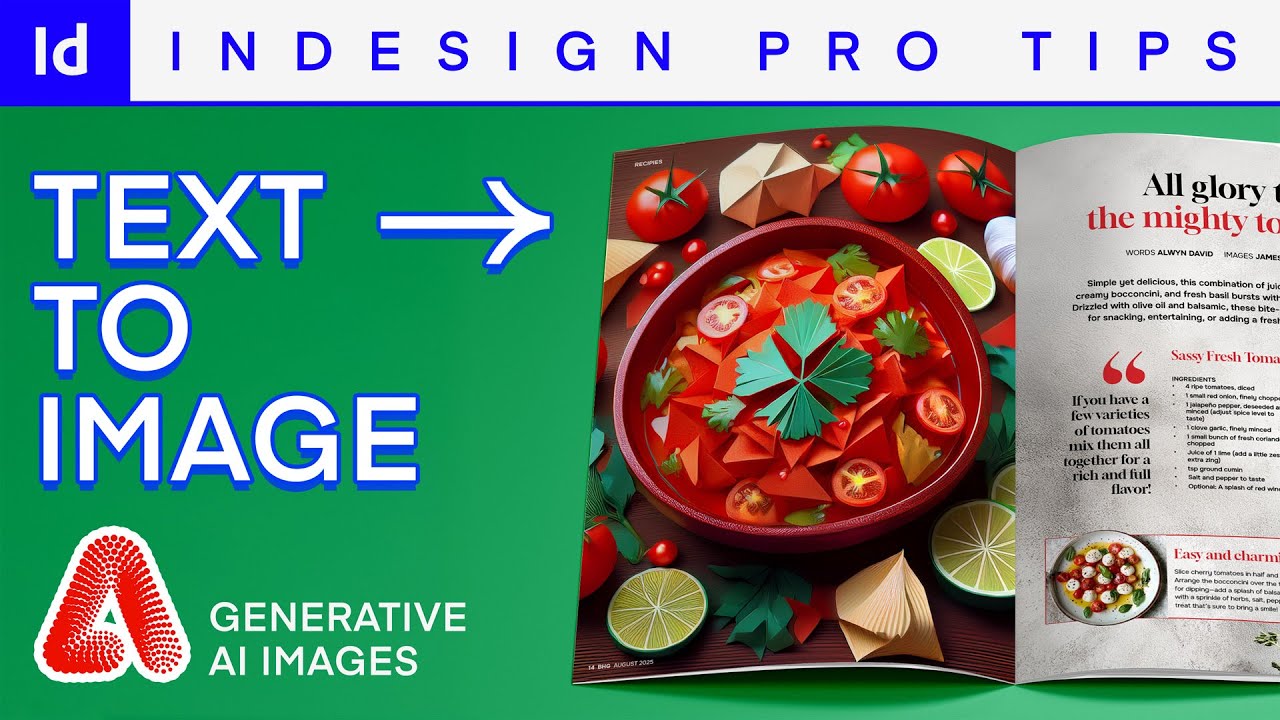
InDesign PRO TIPS
Take this course on CourseBond — completely free to start.
Adobe InDesign remains the industry standard for page layout and publication design. Whether you are creating a simple flyer, a 300-page book, or an interactive PDF, InDesign is the tool professionals reach for. But here is the truth: knowing where the buttons are is not the same as knowing how to use them efficiently.
In 2026, the demand for designers who can produce high-quality work quickly is higher than ever. Businesses need brochures, magazines, eBooks, and reports. Freelancers and marketers need to stand out. The difference between a good designer and a great one often comes down to workflow speed and understanding the hidden features that save hours of work.
This guide is designed to take you from someone who opens InDesign and feels overwhelmed, to someone who confidently uses professional shortcuts, styles, and automation. You will learn the exact strategies that separate hobbyists from paid professionals. And the best part? You do not need to spend hundreds of dollars on a course to get started. The InDesign PRO TIPS course on CourseBond is a free, structured resource that will walk you through every step.
Who Should Learn InDesign PRO TIPS?
This guide is for anyone who wants to stop fighting the software and start designing with speed and confidence. Specifically, you should consider learning these pro tips if you fall into one of these groups:
- Complete beginners: You have never opened InDesign, or you have clicked around but feel lost. This will give you a clear path forward.
- Self-taught designers: You know the basics but feel your workflow is slow. You probably do things manually that could be automated. This will fix that.
- Marketing and communications professionals: You are asked to create reports, newsletters, or social media graphics. Learning InDesign pro tips will make you faster and your output more polished.
- Small business owners: You cannot afford to hire a designer for every flyer or menu. Learning these skills yourself saves money and gives you full control.
- Students and career changers: Adding InDesign proficiency to your resume is a smart move. It shows you understand professional layout and print standards.
No matter your starting point, the InDesign PRO TIPS course is designed to meet you where you are. It covers everything from setting up your workspace to advanced techniques like data merge and GREP styles.
The Best Free Way to Learn InDesign PRO TIPS
There are plenty of YouTube tutorials and blog posts out there, but they often lack structure. You watch one video about paragraph styles, then another about master pages, but you never see how they fit together. This leads to frustration and wasted time.
The best free way to learn is through a structured, step-by-step course that builds your skills logically. The InDesign PRO TIPS course on CourseBond is exactly that. It is completely free, no hidden fees, and no credit card required. The course is broken into bite-sized lessons that you can follow at your own pace. Each module focuses on a specific skill, from navigating the interface to mastering keyboard shortcuts that will double your speed.
Why is a structured course better than random tutorials? Because it teaches you why something works, not just how to click a button. You will learn the logic behind InDesign’s tools, which means you can apply them to any project, not just the one in the video. The course also includes practical exercises so you can practice as you learn. By the end, you will have a solid portfolio piece and the confidence to tackle real-world projects.
Do not waste another week jumping between disjointed resources. Commit to a single, high-quality path. Enroll in the InDesign PRO TIPS course and start seeing results immediately.
InDesign PRO TIPS Roadmap: From Beginner to Confident Practitioner
Learning InDesign does not have to be overwhelming. Follow this roadmap, and you will go from zero to a confident user in a logical sequence. This roadmap mirrors the structure of the InDesign PRO TIPS course, which you can use as your primary guide.
Phase 1: Foundation & Workspace Mastery
Before you design anything, you need to understand the environment. Learn the different panels (Pages, Layers, Swatches, Links) and how to customize your workspace. Spend time memorizing the essential keyboard shortcuts: V for the Selection tool, A for the Direct Selection tool, W for Preview mode, and Cmd/Ctrl + D to place images. This phase is about removing friction. The goal is to make your hands move faster than your brain.
Phase 2: Core Layout Techniques
Now, get into the actual work. Learn how to set up margins and columns. Understand the difference between text frames and graphic frames. Master threading text frames so your text flows naturally across pages. This is where you learn to use master pages—a single most important time-saver for multi-page documents. Once you set up a master page, you never have to add page numbers or repeating elements manually again.
Phase 3: Styles Are Your Best Friend
This is the phase that separates beginners from pros. Learn Paragraph Styles, Character Styles, and Object Styles. These allow you to format your entire document in seconds. Change the font of your headings, and every heading in the document updates instantly. The InDesign PRO TIPS course dedicates significant time to styles because they are the foundation of efficient, professional work.
Phase 4: Advanced Automation
Once styles are second nature, dive into automation tools. Learn GREP styles to automatically format phone numbers or email addresses. Explore Data Merge to create hundreds of personalized certificates or name tags from a spreadsheet. Master Nested Styles to create complex typography with a single click. These techniques will make you feel like a wizard.
Phase 5: Output & Exporting
A great design is useless if you cannot share it correctly. Learn the difference between exporting for print (PDF/X-1a) and for screen (Interactive PDF, EPUB). Understand how to package your files for a printer, including all fonts and images. This phase ensures your hard work looks exactly as intended, whether on paper or a tablet.
Each phase builds on the previous one. You do not need to rush. The InDesign PRO TIPS course is self-paced, so you can spend extra time on the areas you find challenging.
Common Mistakes Beginners Make
Everyone makes mistakes when learning a new tool. The key is to know the most common ones so you can avoid them from day one. Here are the biggest pitfalls beginners fall into with InDesign:
- Using InDesign like Microsoft Word: Do not type directly into a text frame without setting up styles first. Always create Paragraph Styles for your body text and headings. This saves you from manually formatting every single line.
- Ignoring Master Pages: Adding page numbers one by one is a huge waste of time. Use master pages. Set up your headers, footers, and page numbers once, and they will appear on every page automatically.
- Forgetting to check links: When you place an image, InDesign does not embed it by default. It links to the file on your computer. If you move or delete that image file, your design will break. Always use the Links panel to check that everything is connected before exporting or sending to a printer.
- Overusing text boxes: Beginners often create a separate text box for every paragraph. Instead, use one large text frame and thread it across pages. This allows your text to flow naturally and makes editing much easier.
- Not using the Preview mode: Working in Normal mode shows all your guides and frame edges. This is useful for editing, but it does not show you what the final product looks like. Get into the habit of pressing W to toggle Preview mode and see your design without distractions.
- Skipping the course exercises: Watching a video is passive. You need to do the work. The InDesign PRO TIPS course includes practice files and projects. Do not skip them. They are designed to cement the concepts in your memory.
Avoiding these mistakes will save you hours of frustration and rework. The course covers each of these topics in depth, giving you the correct habits from the start.
How to Stay Motivated and Finish the Course
Learning a new skill takes time, and motivation can dip. Here is how to stay on track and complete the InDesign PRO TIPS course.
Set a tiny daily goal. Do not try to finish the entire course in a weekend. Instead, commit to 20 minutes a day. Watch one lesson, then immediately practice what you learned. This small habit is more effective than a four-hour binge session once a month.
Build something real. Theory is boring. As soon as you learn how to use master pages and styles, create a simple project. Design a newsletter for your family, a menu for a friend’s restaurant, or a resume for yourself. Applying your new skills to a real project makes the learning stick and gives you a sense of accomplishment.
Join a community. Learning alone can feel lonely. Look for online forums or social media groups dedicated to InDesign. Share your progress, ask questions, and see what others are creating. The CourseBond platform may also have community features where you can connect with fellow learners.
Celebrate small wins. Did you just create your first Paragraph Style? Did you successfully thread text across three pages? Celebrate it. Acknowledge your progress. This positive reinforcement keeps you going when you hit a difficult concept.
Remember why you started. Whether you want to land a new job, improve your business materials, or express your creativity, keep that goal in mind. Write it down and put it next to your computer. When you feel like quitting, read it.
The InDesign PRO TIPS course is designed to be engaging and practical. Each lesson ends with a clear takeaway, so you always feel like you are moving forward. Stick with it, and you will be amazed at how quickly you improve.
Frequently Asked Questions
Do I need any prior design experience to take this course?
No. The course is designed for absolute beginners. It starts with the very basics, like opening the software and understanding the interface. If you have some experience with other Adobe products like Photoshop or Illustrator, that helps, but it is not required.
Is the InDesign PRO TIPS course really free?
Yes, completely free. There are no hidden costs, no trial periods, and no credit card required. You can access all the lessons and practice files immediately when you enroll. This is the best free resource available for learning InDesign professionally.
How long will it take to finish the course?
This depends on your pace. The entire course contains several hours of video content plus practice exercises. If you dedicate one hour per day, most learners finish in two to three weeks. If you go slower, that is fine too. The course is self-paced, so you can take as long as you need.
Will I be able to create professional documents after this course?
Yes. The course focuses on real-world techniques used by professional designers. By the end, you will be able to create brochures, magazines, eBooks, flyers, and reports that look polished and print-ready. You will also understand the workflow for preparing files for commercial printing.
What if I get stuck or have questions?
The course lessons are clear and step-by-step. However, if you get stuck, you can revisit any lesson as many times as you like. Many learners also find it helpful to search for specific issues on forums or YouTube. The skills you learn in the course will give you the vocabulary to ask the right questions.
Do I need the latest version of Adobe InDesign?
No. The course covers core concepts and workflows that work across most recent versions of InDesign (CS6 and later, including Creative Cloud). You can follow along even if you have an older version. The interface may look slightly different, but the tools and logic are the same.
Ready to Start Learning?
You have the roadmap. You know the common mistakes to avoid. You have a free, structured course waiting for you. The only thing left is to take the first step.
Do not wait for the “perfect moment” to start learning. The best time was yesterday. The second best time is right now. Open a new document, follow the lessons, and start building your skills today. You will be surprised how quickly you go from confused to confident.
Everything you need is in one place: clear lessons, practical exercises, and expert guidance. No more jumping between random tutorials. No more feeling stuck. Just a clear path forward.
Click the link below and begin your journey to becoming a proficient InDesign user. It is free, it is effective, and it is waiting for you.
Enroll in InDesign PRO TIPS (free)
