

Why Learn Photo Manipulations In Adobe Photoshop in 2026?
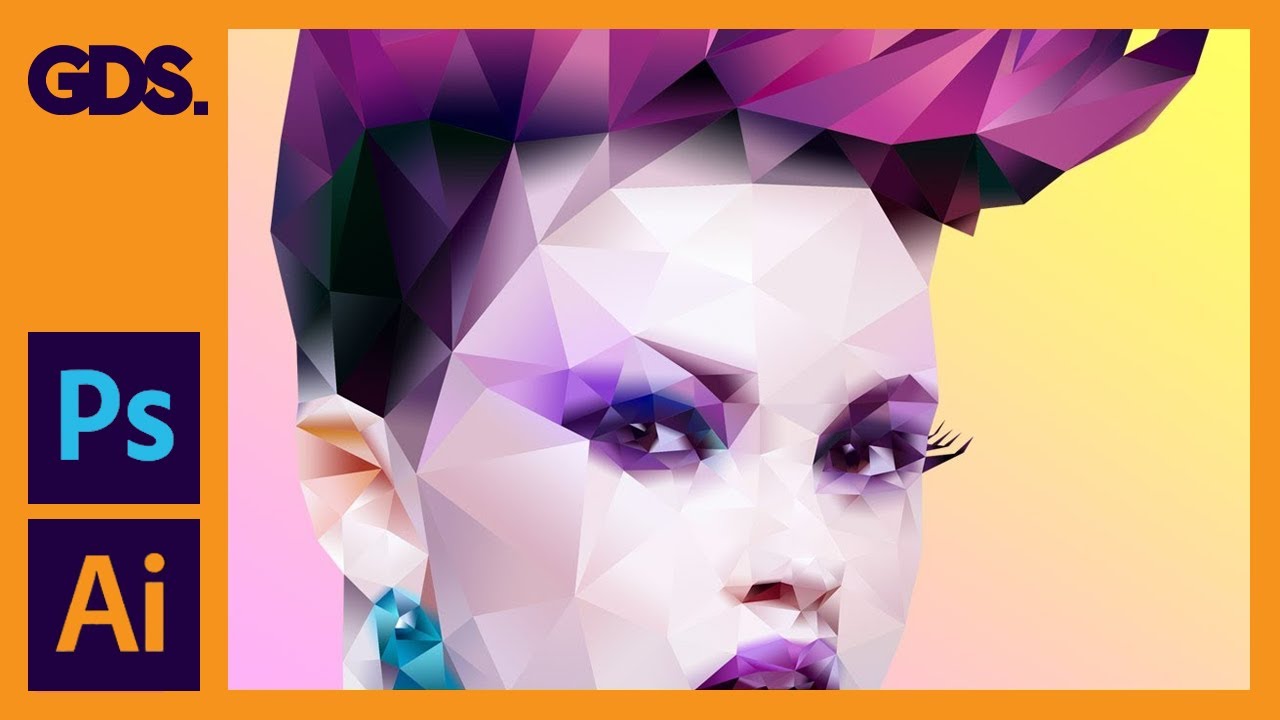
Photo Manipulations In Adobe Photoshop
Take this course on CourseBond — completely free to start.
Photo manipulation is the art of transforming ordinary images into extraordinary visual stories. In 2026, this skill is more valuable than ever. With the explosion of AI-generated imagery, the ability to blend, retouch, and composite photos with human creativity sets you apart. Machines can generate images, but they struggle with intent, emotion, and the subtle logic of a believable composite. Learning photo manipulation in Adobe Photoshop gives you the control to create exactly what you envision, from surreal dreamscapes to polished product shots.
Businesses, content creators, and marketers constantly need visuals that stand out. A single manipulated image can tell a complex story that paragraphs of text cannot. Whether you are designing social media graphics, album covers, or digital art for NFTs, the demand for skilled Photoshop users remains high. The tools in Photoshop are also evolving. In 2026, features like advanced neural filters, improved selection tools, and better layer management make complex manipulations faster and more intuitive. Mastering these techniques now means you can produce high-quality work efficiently, giving you an edge in a competitive market.
Furthermore, photo manipulation teaches you fundamental design principles like lighting, perspective, and color theory. These skills transfer to any visual medium, from video editing to UI design. The Photo Manipulations In Adobe Photoshop course on CourseBond is specifically designed to build these foundational skills step-by-step, ensuring you understand the “why” behind each technique, not just the “how.”
Who Should Learn Photo Manipulations In Adobe Photoshop?
This guide is for anyone who has ever looked at an image and thought, “I wish I could change that.” More specifically, the Photo Manipulations In Adobe Photoshop course is perfect for:
- Complete Beginners: You have never opened Photoshop or feel overwhelmed by its interface. This course starts from the absolute basics, like opening a file and understanding layers.
- Hobbyist Photographers: You take great photos but want to add creative flair. Learn to swap skies, remove unwanted objects, or create double exposures that elevate your portfolio.
- Social Media Managers & Content Creators: You need eye-catching visuals daily. Photo manipulation allows you to create branded graphics, memes, and promotional images without hiring a designer.
- Aspiring Digital Artists: If you dream of creating surreal art or fantasy worlds, this is your starting point. The course teaches compositing, masking, and blending—the core skills of digital painting.
- Small Business Owners: Save money by editing your own product photos. Learn to remove backgrounds, fix lighting, and create professional-looking advertisements.
No prior design experience is required. If you can click a mouse and follow instructions, you can learn photo manipulation. The course is structured to be accessible, with clear explanations and practical projects that build your confidence quickly.
The Best Free Way to Learn Photo Manipulations In Adobe Photoshop
There are countless YouTube tutorials and blog posts about Photoshop, but they often lack structure. You might learn how to cut out a tree in one video, but never how to match its lighting with a new background. The best free way to learn photo manipulation from scratch is through a dedicated, project-based course like the one offered on CourseBond.
The Photo Manipulations In Adobe Photoshop course is completely free to access. It provides a logical progression that saves you hours of frustration. Instead of jumping between random tutorials, you follow a roadmap. You start with simple tasks like making selections and using layers, then move to advanced techniques like blending modes and layer masks. Each lesson builds on the previous one, ensuring you don’t get lost.
Why is this better than free YouTube? A structured course ensures you learn the correct workflow. Many online tutorials skip important steps or use shortcuts that create bad habits. This course emphasizes best practices, such as using non-destructive editing techniques. You will learn to work with adjustment layers and smart objects, so you can always go back and fix mistakes. Plus, you have a clear end goal: completing the course and having a portfolio of manipulated images. This sense of accomplishment is a powerful motivator that scattered tutorials rarely provide.
Photo Manipulations In Adobe Photoshop Roadmap: From Beginner to Confident Practitioner
Here is the step-by-step roadmap you will follow in the Photo Manipulations In Adobe Photoshop course. Think of it as your personal GPS for learning.
Phase 1: Understanding the Photoshop Interface & Tools
You cannot manipulate photos if you do not know where the tools are. This phase covers the workspace layout, the toolbar, and essential panels like Layers, History, and Properties. You will learn to customize your workspace for efficiency. Key tools introduced: Move Tool, Marquee Tools, Lasso Tools, and the Brush Tool. The goal is comfort. By the end, you should be able to open an image, create a new layer, and save your work without hesitation.
Phase 2: Mastering Selections and Masks
Selections are the heart of photo manipulation. You will learn to isolate objects with precision using tools like the Quick Selection Tool, Magic Wand, and the powerful Select and Mask workspace. Then comes layer masks—the most important concept in Photoshop. You will understand how black conceals and white reveals, allowing you to blend images seamlessly. This module includes practical exercises like cutting out a person from a busy background and placing them into a new scene.
Phase 3: Working with Layers and Blending Modes
Layers are like stacked transparent sheets. You will learn to organize them, group them, and use blending modes to control how layers interact. Blending modes like Multiply, Screen, Overlay, and Soft Light will become your best friends. This module teaches you to add realistic shadows and highlights, create texture overlays, and combine multiple images into a single cohesive piece. You will practice by creating a simple composite, such as placing a moon into a night sky.
Phase 4: Color Correction and Lighting
A manipulated image looks fake if the colors and lighting don’t match. This phase covers adjustment layers (Levels, Curves, Hue/Saturation, Color Balance) to harmonize your images. You will learn to match the color temperature of different sources, create consistent lighting, and add atmospheric effects like fog or sunlight. The course emphasizes non-destructive editing, so you can tweak colors without permanently altering your original image.
Phase 5: Advanced Compositing Techniques
Now you combine everything. You will tackle complex projects like creating a surreal fantasy scene. This includes advanced masking (hair, fur, transparent objects), using the Clone Stamp and Healing Brush to remove unwanted elements, and applying filters for special effects. You will also learn to use Smart Objects and Smart Filters for maximum flexibility. By the end of this phase, you will have created a portfolio-ready piece of digital art.
Phase 6: Final Polish and Exporting
The final step is making your image look professional. You will learn sharpening techniques, adding grain for texture, and using the Camera Raw filter for final color grading. The course also covers exporting for different purposes: web (JPEG, PNG), print (TIFF, PDF), and social media (specific dimensions). You will understand resolution, file size, and color profiles.
Common Mistakes Beginners Make
Knowing what to avoid is just as important as knowing what to do. Here are the most common pitfalls and how the Photo Manipulations In Adobe Photoshop course helps you sidestep them.
- Using the Eraser Tool instead of Layer Masks: This is the #1 mistake. Erasing deletes pixels permanently. Layer masks hide them non-destructively. The course drills this habit from the first compositing lesson. You will learn that masks are your safety net.
- Ignoring Lighting and Shadows: A common tell of a bad manipulation is inconsistent lighting. Beginners often paste a subject into a scene without adjusting its shadows or highlights. The course dedicates an entire module to matching lighting, teaching you to paint shadows and use blending modes to create realistic depth.
- Overusing Filters and Effects: New users love applying filters like Gaussian Blur or Drop Shadow to everything. This often looks amateurish. The course teaches restraint and purpose. You will learn to use effects subtly to enhance, not distract.
- Working on a Single Layer: Doing all your work on the Background layer makes it impossible to edit individual elements later. The course emphasizes a layered workflow from day one. You will learn to keep your elements separate and organized.
- Not Saving Versions: Beginners often overwrite their original file. The course teaches you to always save a PSD (Photoshop Document) with all layers intact, and only export a flattened version. This way, you can always go back.
- Skipping the Basics: Jumping straight into advanced tutorials without understanding selections or layers leads to frustration. The course’s structured roadmap ensures you build a solid foundation before tackling complex projects.
How to Stay Motivated and Finish the Course
Learning a new skill takes time, and motivation can dip. Here are practical strategies to keep you moving through the Photo Manipulations In Adobe Photoshop course.
- Set a Schedule: Consistency beats intensity. Aim for 30 minutes a day, five days a week. Block out the time in your calendar. Treat it like a meeting you cannot miss.
- Complete the Projects: The course includes hands-on projects. Do not just watch the videos. Open Photoshop and follow along. Pause, rewind, and do it yourself. The muscle memory is crucial.
- Share Your Work: Post your creations on social media or in online communities like Reddit’s r/photoshop. Feedback, even if it’s just a few likes, is incredibly motivating.
- Celebrate Small Wins: Did you successfully cut out a complex object? Did you create a believable shadow? Acknowledge the progress. Every small victory is a step toward mastery.
- Join the CourseBond Community: Many online courses have forums or comment sections. Ask questions, share your struggles, and encourage others. You are not alone in this journey.
- Remember Your “Why”: Why did you start? To create art? To improve your business? To get a better job? Write it down and place it near your computer. When you feel stuck, read it.
Frequently Asked Questions
Do I need to buy Adobe Photoshop before starting the course?
Yes, you will need access to Adobe Photoshop to follow along with the exercises. Adobe offers a free 7-day trial of the full software. After that, you can subscribe monthly or annually. The course is designed for the standard desktop version of Photoshop (not the web or iPad version), as it covers the full set of tools used in professional photo manipulation.
How long does it take to complete the Photo Manipulations In Adobe Photoshop course?
This depends on your pace. The course contains several hours of video content and practical projects. If you dedicate 3-4 hours per week, you can comfortably finish it in 3-4 weeks. However, you can take longer to practice each technique. The course is self-paced, so you can go back and review any lesson at any time.
Will I be able to create professional-looking images after this course?
Absolutely. The course is designed to take you from a complete beginner to someone who can confidently create composites, remove backgrounds, match lighting, and color grade images. By the end, you will have a portfolio of work that demonstrates professional-level skills. The techniques taught are the same ones used by graphic designers and digital artists.
Is this course suitable for complete beginners with no design experience?
Yes, it is. The course assumes you have zero prior knowledge. It starts with the absolute basics, such as opening Photoshop and understanding the interface. The language is clear, and every step is explained. You do not need any artistic background to succeed.
What if I get stuck on a lesson or a project?
You can rewatch any video as many times as you need. The course is structured so that each lesson builds logically on the previous one. If you are stuck, it is often helpful to go back one or two lessons and review the fundamentals. Additionally, you can search for specific questions online or ask for help in Photoshop forums.
Can I use the images I create in the course for my portfolio or commercial projects?
Yes, the images you create during the course are your own work. You are free to use them in your portfolio, on social media, or even for commercial projects. The course provides stock images for you to practice with, but the final composites are your creative output.
Ready to Start Learning?
Photo manipulation is a rewarding skill that opens doors to creative expression and professional opportunities. You do not need expensive degrees or years of experience. You just need a willingness to learn and the right guidance. The Photo Manipulations In Adobe Photoshop course on CourseBond provides that guidance in a clear, structured, and completely free format. You have the roadmap, you know the common mistakes to avoid, and you have strategies to stay motivated. The only missing piece is your first click.
Stop waiting for the perfect moment. The best time to start was yesterday. The second best time is now. Click the link below and begin your journey into the world of photo manipulation. It is free, it is beginner-friendly, and it will change how you see and create images forever.
Enroll in Photo Manipulations In Adobe Photoshop (free)
